Configuring a B2B Enterprise Dashboard

B2b
Enterprise
Saas
Product Design

Context

Following the successful launch of the Design System, I led the design initiative for a new product at iTradeNetwork. Through user interviews, market research, and industry analysis, we identified a clear opportunity: clients needed a modern dashboard to better support their daily operational decisions.
Company
iTradeNetwork
Industry
Perishable Supply Chain
Timeline
2021-2022
Role
Lead Designer

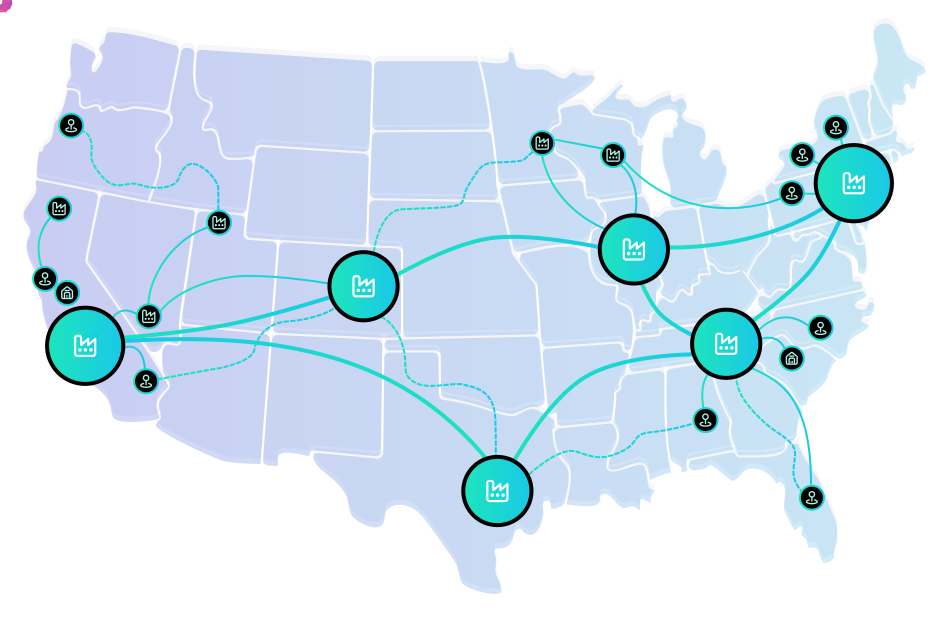
Our Top Clients

The Perishable Supply Chain

The perishable supply chain encompasses the end-to-end process of producing, transporting, storing, and selling time-sensitive goods such as fresh produce, dairy, meat, seafood, and prepared foods. Because these products have limited shelf lives, the system requires real-time visibility, accurate forecasting, close collaboration between trading partners, and proactive risk management to ensure freshness, profitability, and customer satisfaction.
This is some text inside of a div block.

Personas

Our primary users consisted of Buyers and Suppliers
Buyer
Supplier

Challenge

Despite having access to large volumes of operational data, users struggled to translate information into actionable insight. The absence of a unified, intuitive dashboard slowed decision-making and increased operational risk across the established supply chain network.
“I need a unified, reliable system that delivers actionable visibility into contracts, pricing, and supply chain performance to empower confident decision-making”

Constraints

To evaluate the effectiveness of the dashboard, we established success metrics spanning business outcomes, product efficiency, and user experience

Complex Data Sets

Supply chain operations generate large volumes of real-time data (inventory, shipments, contracts, pricing, quality metrics). The interface needed to simplify complexity without oversimplifying critical information.

Legacy Integration

The product relied on existing ERP and supply chain infrastructure. Design decisions were constrained by available data structures, API limitations, and technical feasibility.

Time-Sensitive Environment

Because perishable goods are involved, delays have immediate financial consequences. The interface needed to prioritize urgency and exception management over passive reporting.

Enterprise Adoption

Users were accustomed to spreadsheets and legacy dashboards. The new solution needed to feel modern while minimizing disruption to established workflows.

Success Metrics

To evaluate the effectiveness of the dashboard, we established success metrics spanning business outcomes, product efficiency, and user experience
Business
  • Reduction in time-to-decision for critical issues
  • Decrease in spoilage or late shipments
  • Improved contract fulfillment rate
  • Increased user adoption across buyer and supplier accounts
Product
  • Reduction in time-to-decision for critical issues
  • Decrease in spoilage or late shipments
  • Improved contract fulfillment rate
  • Increased user adoption across buyer and supplier accounts
Experience
  • Reduction in time-to-decision for critical issues
  • Decrease in spoilage or late shipments
  • Improved contract fulfillment rate
  • Increased user adoption across buyer and supplier accounts

Process

I applied a user-centered approach grounded in the design thinking process, leveraging rapid iteration to efficiently deliver solutions that reduced organizational costs while maximizing user value.
Research
MVP
Lo-Fi
Hi-Fi
Implement
Improve

User Interviews

Before jumping into the wireframes we interviewed our Users, examined indusrty trends, and defined pain points to inform the direction of the product.

Pain Points

!!
Comparing complex metrics
"Comparing prices of commodities to the CPI, PPI, and my organizations previous spending trends, then exporting the data in a way that is easy to comprehend."
!!
Long Loading Times
"It takes me hours to generate meaningful reports and extrapolate insights from my supply chain analytics. Sometimes, it can takes weeks if a company has not properly integrated their data with mine."
!!
Maintaining Inventory Levels
"I am losing money if my inventories are not filled months ahead of time. I need to be prepared for crisis and disasters. I can’t let another Pandemic lose us millions."
!!
Exportable Data Visualizations
"I need to export my data in a meaningful way that is also easy to present to my Board of Directors. I need assets to assist my talking points and future financial projections for the company."
!!
Predict Futures Market
"I have too much data to sort through, and not enough time to examine it thoroughly. I want to understand what is happening right now, and how I can plan ahead for the future. This is like the stock market."
!!
Segmented Supply Chain
"I want to understand how individual commodities, locations, and sectors are performing, not just all my data at once. I need to be able to filter my data down to the item-level, and I need to do this quickly."

MVP

For the first version of the product we narrowed down the requirements to on the essentials for the MVP (minimum viable product). This strategy would save our company time and developement costs to quickly release a live product that could be continuosly iterated upon with User feedback.

Requirments

  • KPIs(Widgets): Surface and visualize Key Performance Indicators
  • KPI Configuration: Users can customize the data that the widgets surface.
  • KPI Data Drilldown: Widgets will have additional data available if a User clicks on a widget.
  • KPI Requests: If the User does not find a widget they will be able to request a new one.
  • Data Exports: Users can export executive summaries and data visualizations to assist with internal communication.
  • Customizeable View: The dashboard view can be customized by the User.

Product Frame

To evaluate the effectiveness of the dashboard, we established success metrics spanning business outcomes, product efficiency, and user experience
We started with a screen size of 1440 x 1024 px because our typical Users were completing their daily tasks on either Laptops or at their desks.
Slide 2 Text
Slide 3 Text
Slide 4 Text
Slide 5 Text
Slide 6 Text
Slide 7 Text

Widget Iterations

Leveraging an Agile Product Management strategy requirements for each widget were thuroughly documented and discussed with the development team.

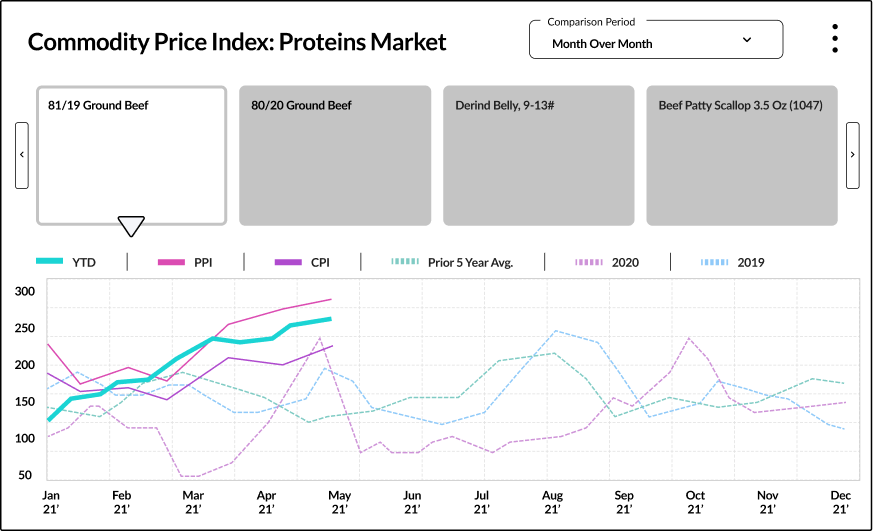
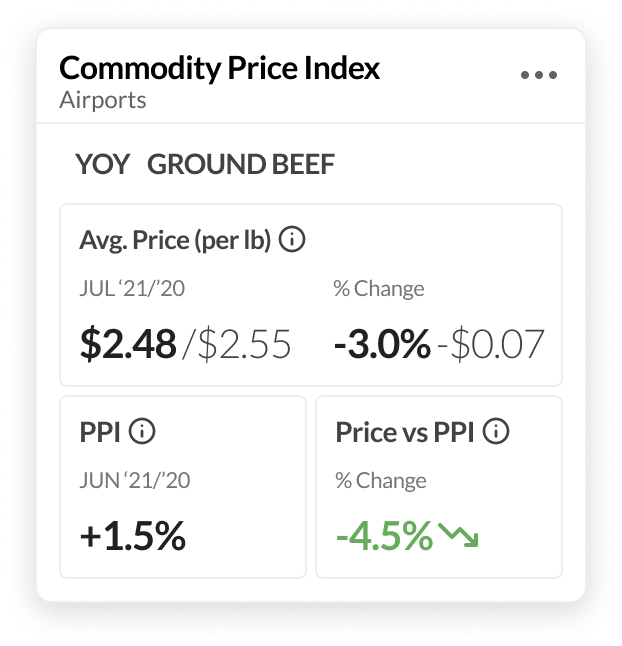
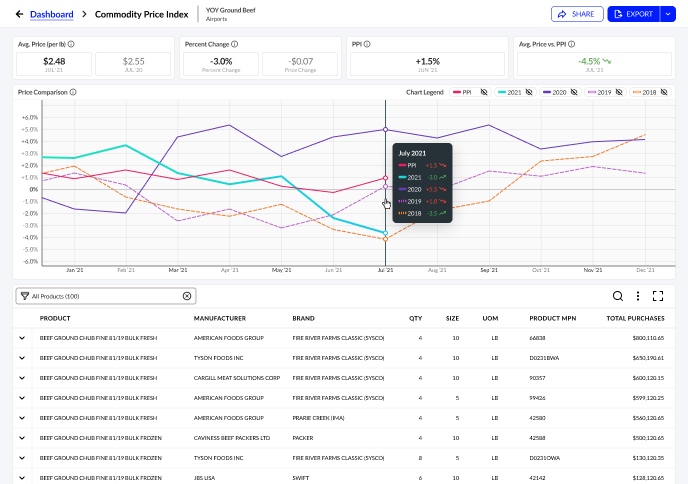
Using the Commodity Price Index Widget as an example, here is the iteration process to get to the final solution.

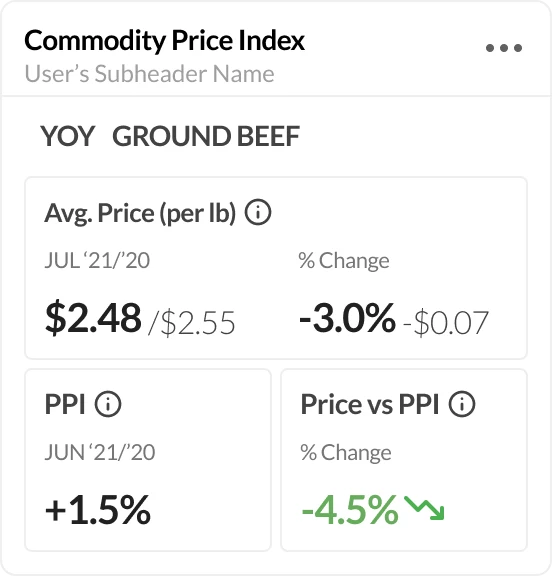
Commodity Price Index Widget

User Needs

The User needs to understand to the decimal point what prices they should be negotiating for. They are pushing millions of cases and cutting huge POs, 1 penny can equal 10 million in savings. The process of determining the prices is tedious and they need a system that ultimately saves them time to focus on other tasks. The more processes they can automate the more time they can spend focusing on the future trajectory of their organization.

Functionality

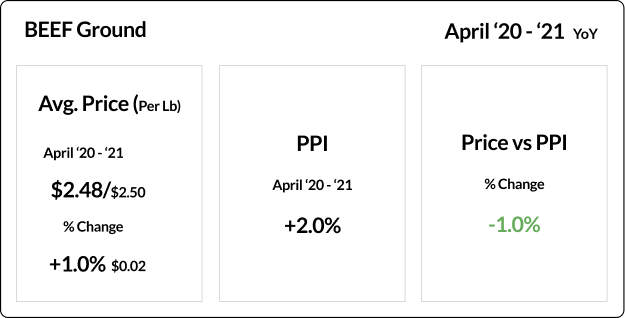
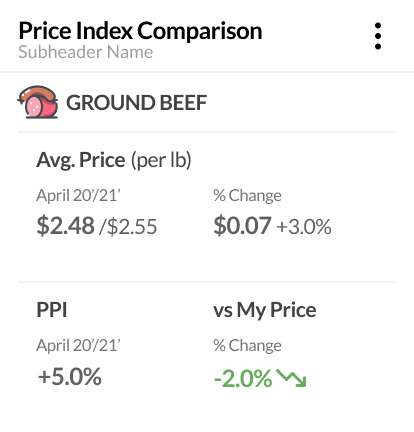
SlideThe widget will render the User’s price for a specific commodity compared to the CPI and PPI data sets. If there is a green percent that means they are saving money compared to the average consumer. The User may also drilldown into their data to view a more detailed summary of the commodity compared to additional metrics that are rendered in a much larger viewport.

Requirements

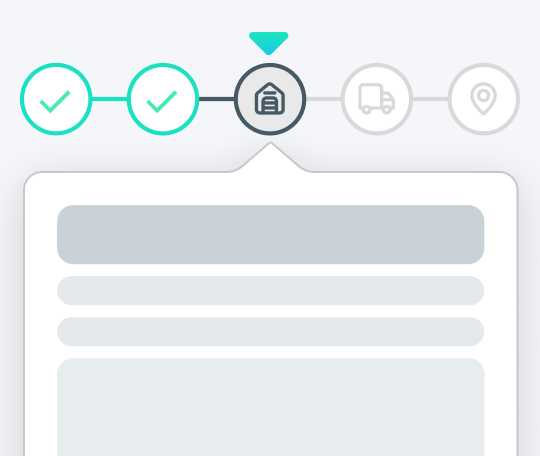
  • The widget is customizable with a stepped progress component.
  • The Widget connects to the backend data repository.
  • There is a Drilldown for the Widget that exposes all data associated with the configured data.
  • The User can share their data with others in their organization via email.
  • The User can export their data as either a PDF, CSV, or XLS.

User Screen References

These are screenshots of what our Users were reviewing regarding commodity price indexes.

Iteration 1

Thoughts
My first idea with the widget was to surface the data for each individual product within a commodity family, with controls and toggles within the widget to enable data manipulation on the fly.

Iteration 2

Thoughts
After removing all the secondary information there was much more space to work with. Before I focused on the visual aesthetic of the widget and wasted time, I wanted to ensure that the metrics we were surfacing were exactly what the User wanted to see.

Iteration 3

Thoughts
Now that I new exactly what the User wanted, I could start reshaping the widget in a more efficient manor. My goal is to use the minimum amount of visual data as possible and organize it in a way that is intuitive, scannable, and actionable.

Final Widget + Drilldown

Thoughts
My first idea with the widget was to surface the data for each individual product within a commodity family, with controls and toggles within the widget to enable data manipulation on the fly.

Solution

The final solution is a modular, customizable dashboard that surfaces real-time insights and supports in-depth analysis through intuitive drilldowns and advanced data-table tools. By maintaining familiar workflows while enhancing efficiency, the experience reduces operational overhead and frees users to concentrate on strategic growth and relationship development.
MVP Widgets
8
Label
Title
Label
Title
Label
Title

Final Dashboard

Here is an example of what the final Dashboard looked like.

MVP Widgets

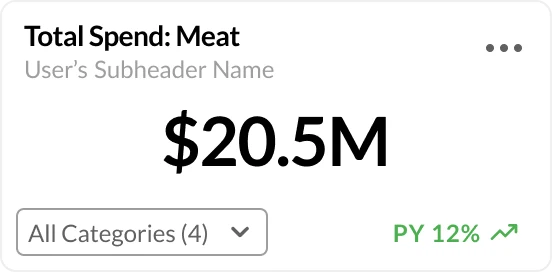
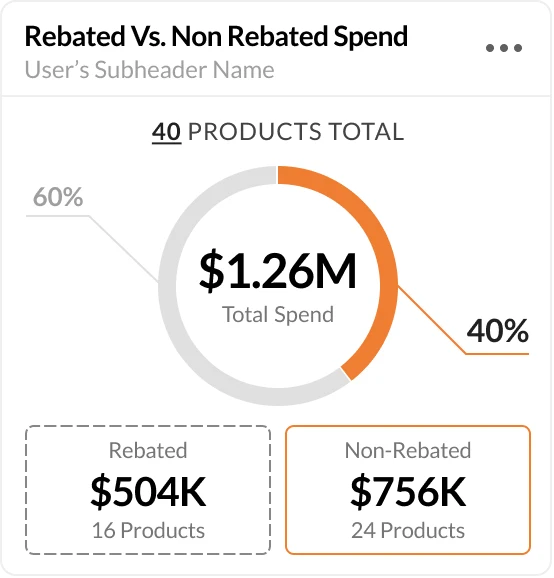
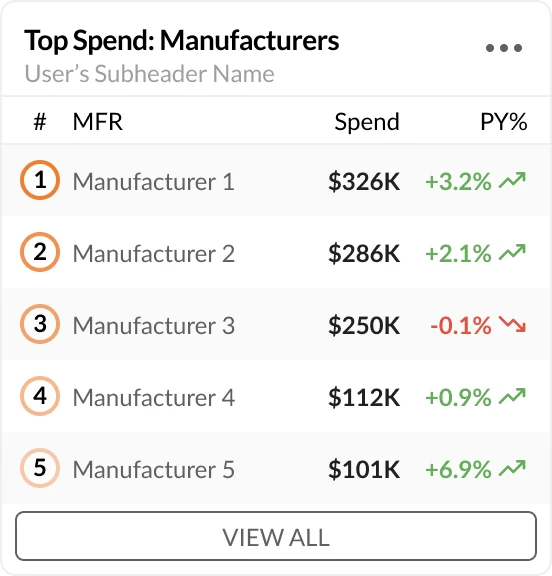
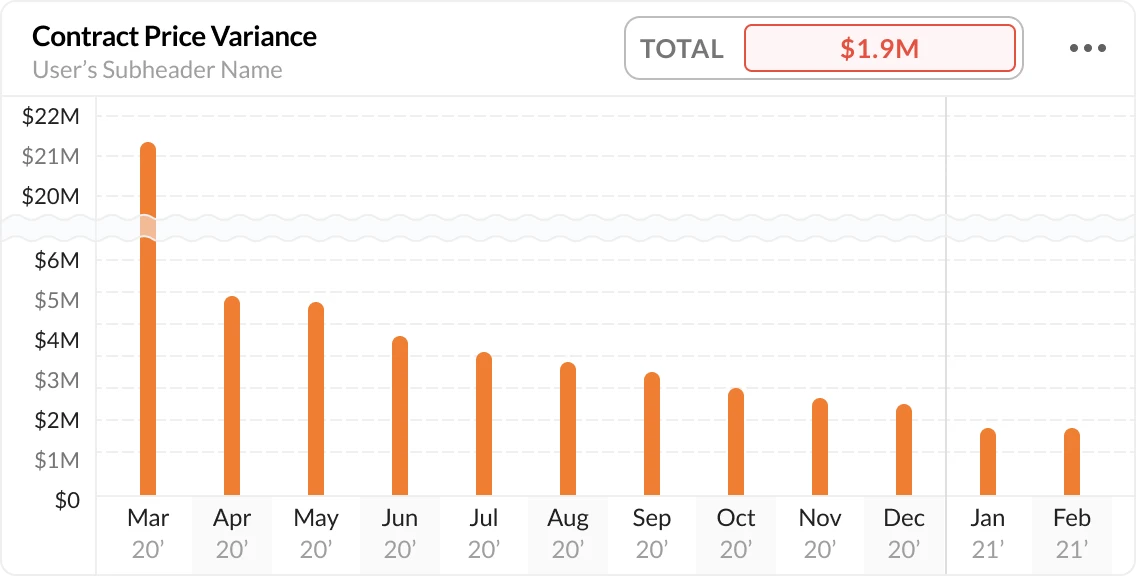
For the MVP of the Dashboard, we worked with our Users to create 8 total widgets. Here are examples of the final results, including the empty state of each widget.

Total Statistics

Monitors the User’s total quantity or spend of a specific category.

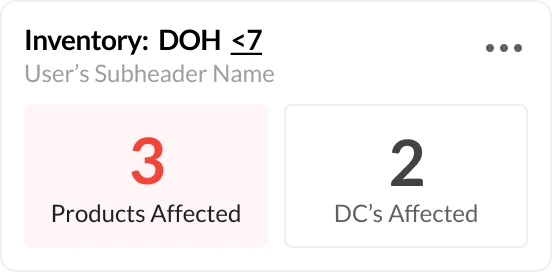
Inventory Alerts

Lets the User know when specific items are below their days-on-hand threshold.

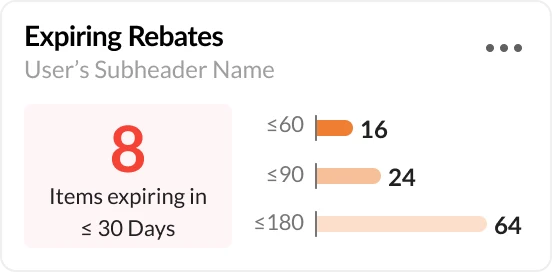
Expiring Savings

Tracks the time remaining on rebates, limited time offers, and contracts.

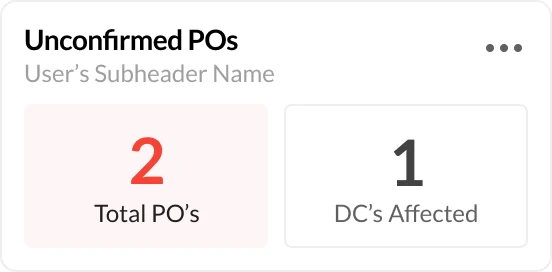
Unconfirmed POs

Tracks the User’s purchase orders that are unconfirmed and require action.

Commodity Price Index

Monitors the User’s average price on a commodity compared to PPI and prior year metrics.

Spend Comparison

Compares the total spend on specific products based on savings.

Top Statistics

Tracks the largest totals in descending order with all items available in a drilldown.

Contract Price Variance

Displays the total variance on contracts that need to be resolved by the suppliers.
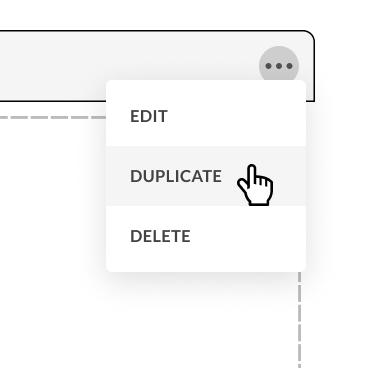
Building a custom Dashboard with Widget Configuration.

Heading

Lorem ipsum dolor sit amet, consectetur adipiscing elit. Suspendisse varius enim in eros elementum tristique. Duis cursus, mi quis viverra ornare, eros dolor interdum nulla.

Next Project

Learn More →